Bitget API Setup Guide
Create your API Keys on Bitget and connect them with your Thomas Boleto Discord Bot
Please make sure you complete your Bitget account verification. Bitget allows API key creation only for accounts that have completed their Basic and Intermediate Verification. If you haven't completed both of your account's Basic and Intermediate verification procedures, kindly go back to Bitget and complete it. Once your account is verified, you will be able to complete the steps.
The following are the necessary steps to create an API key on the Bitget exchange that can be used for trading. This guide is specifically for connecting to the Thomas Boleto Discord Trading Bot AutoFlow.
Connect to Bitget and Navigate to the API Keys Section
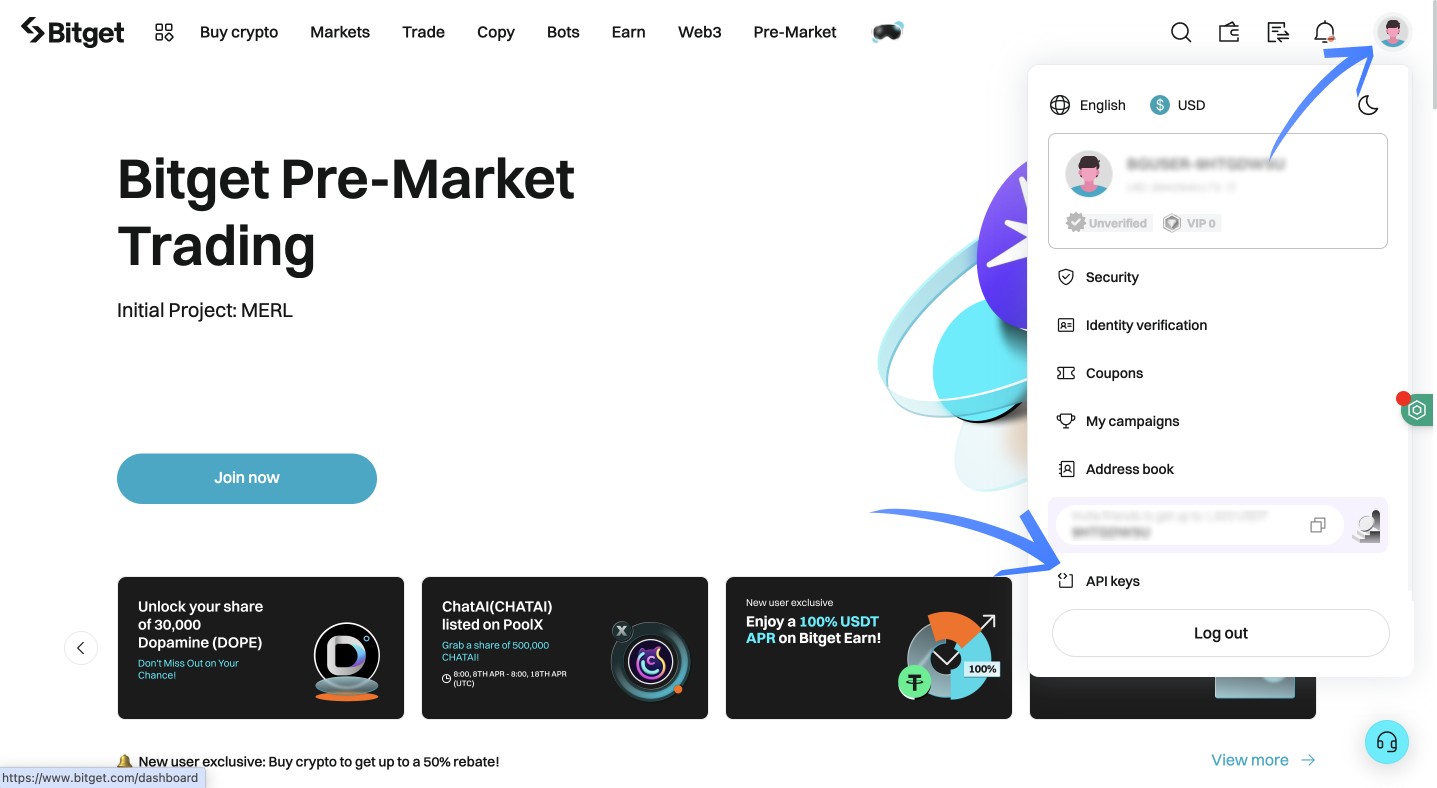
Connect to your Bitget exchange account, click the icon in the top right corner of the screen to open your account menu, and then click "API Keys" to access the API Keys section.
Create a New API Key and Set its Permissions
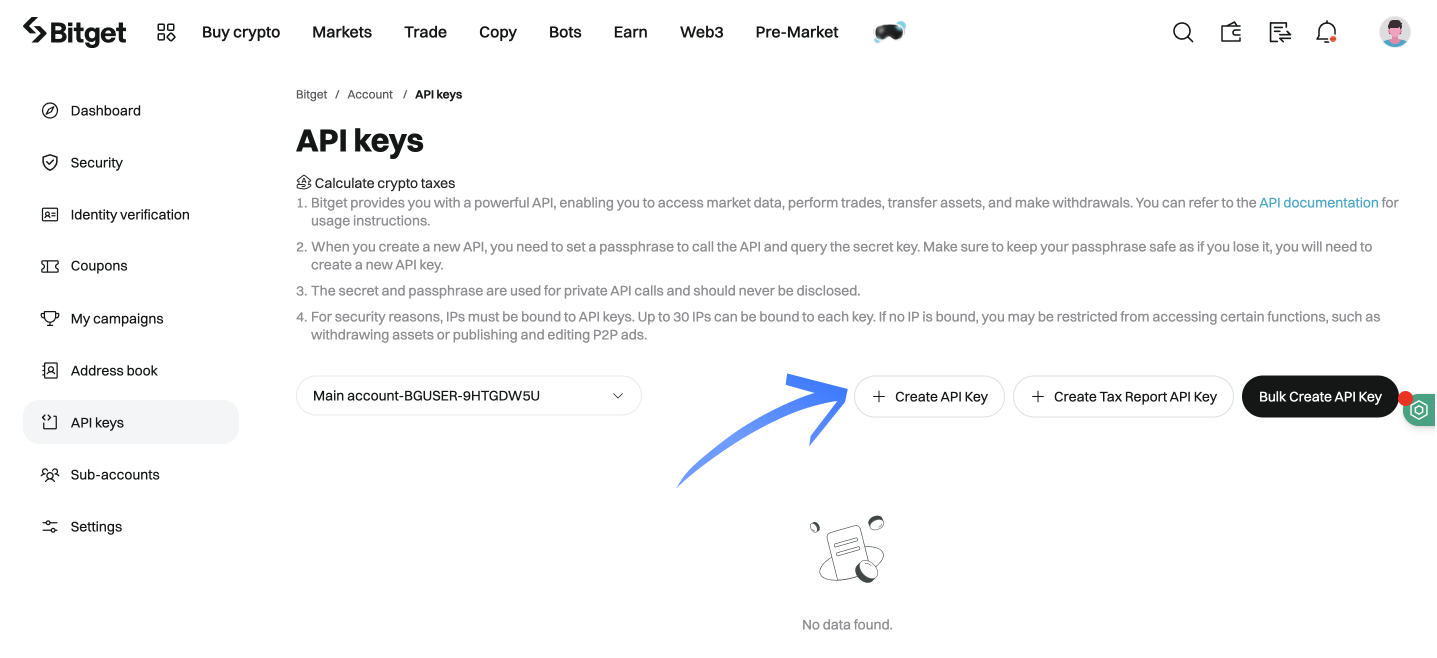
Click the "+ Create API Key" button.
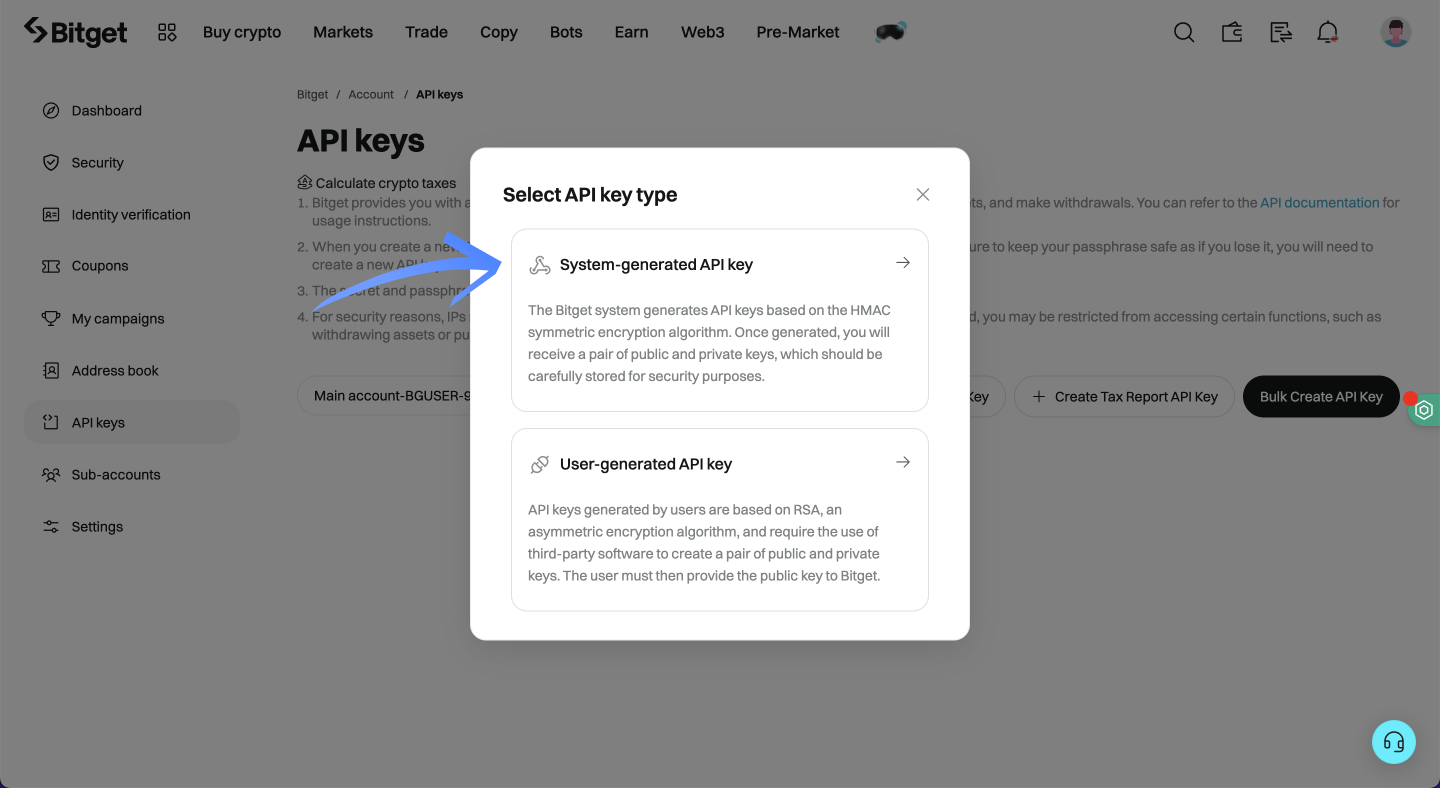
Choose "System-generated API key".
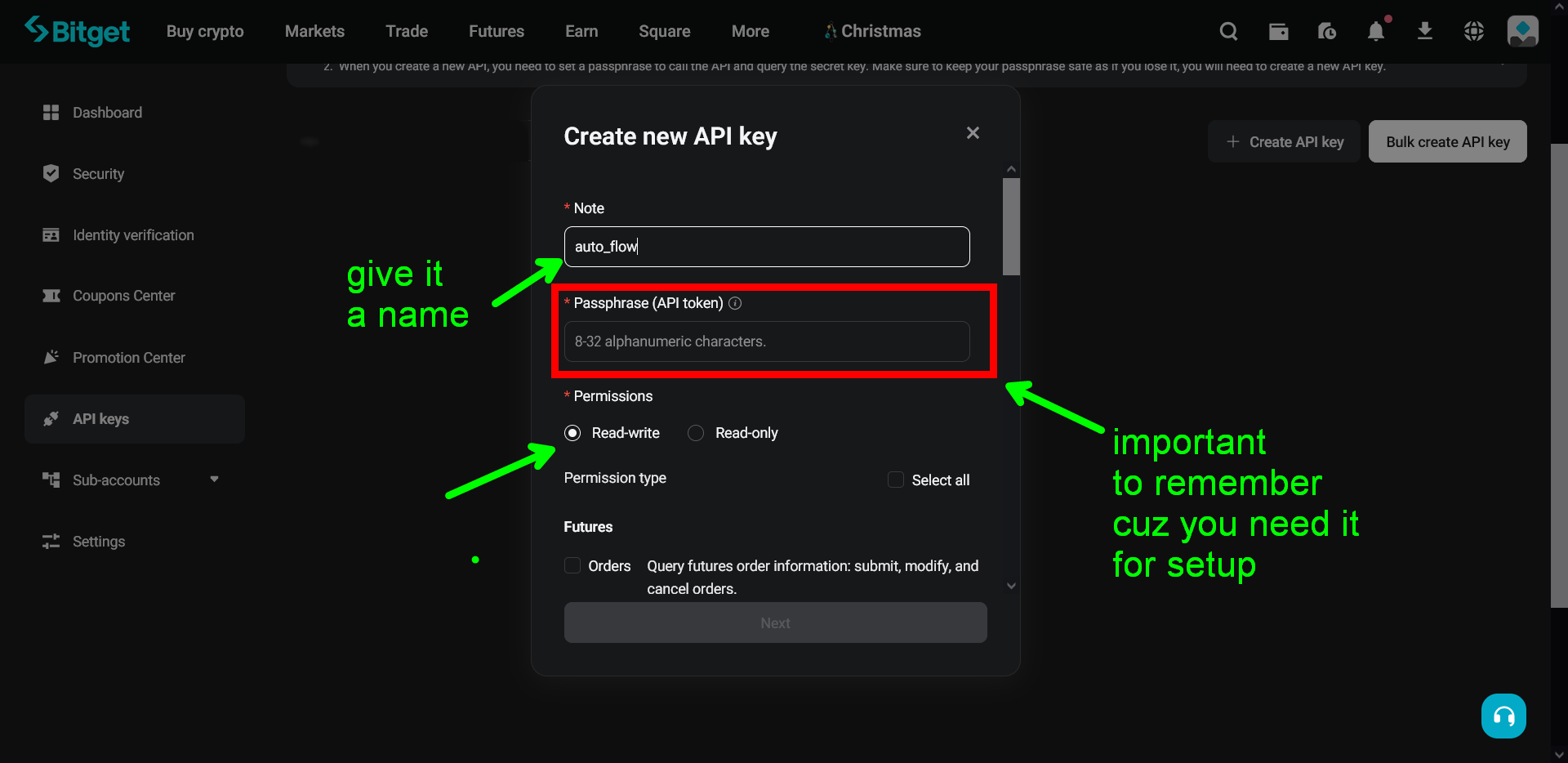
Set a Name, Passphrase and Permissions
• Note/Name: Insert a Note/Name to your new key
• Passphrase: Set a Passphrase (save it somewhere as you need it to set your client in Thomas Boleto AutoFlow)
• Permissions: Select the necessary permissions
Important: Save your Passphrase securely! You will need it when connecting to Thomas Boleto AutoFlow in Discord.
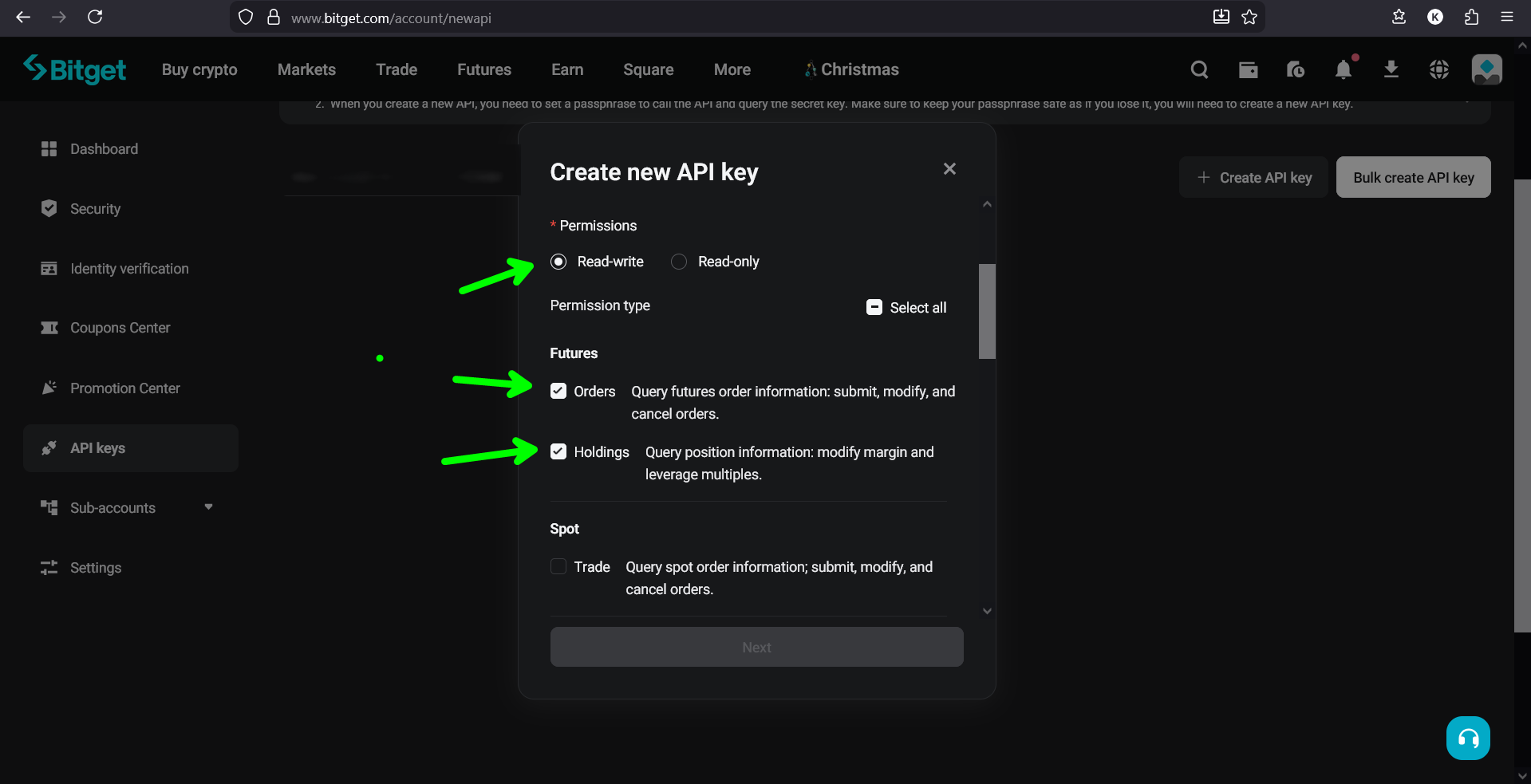
Then click "Next".
Security Verification
To complete the security verification process, you'll receive a code via email (after clicking the "send" button). After that, you'll generate and enter the code from your Google Authenticator app.
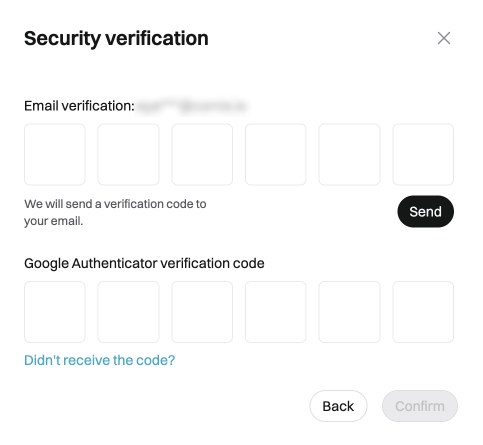
After verification, Bitget will display your API keys. The Secret Key is only shown ONCE. You must save all three keys immediately:
Access Key:    hjasd87asd98as7d98a7sd...
Secret Key:    KJHasd87asd9a8s7d98a7s9d8a7sd...
Passphrase:    YourSecurePassphrase123

⚠️ Copy all three to a secure location. The Secret Key will never be shown again.
Bitget Requires 3 Keys: Unlike other exchanges, Bitget requires you to save three pieces of information: Access Key, Secret Key, and Passphrase. All three are needed to connect to Thomas Boleto AutoFlow.
Insert the Api Keys into AUTO_SETUP_CHANNEL inside Thomas Boleto AutoFlow in Discord
Then copy the keys (Access APIKey SecretKey and Passphrase) - you need 3 of them in Bitget and insert them into the AUTO_SETUP_CHANNEL in Discord to connect your account with Bitget.
Connection Steps:
Access_Key: [Copy from Bitget]
Secret_Key: [Copy from Bitget - shown only once]
Passphrase: [Your chosen passphrase]
🔒 You need ALL 3 keys for Bitget connection
✅ There's a video showing everything in the Discord channel
👇 Picture down shows you in Private Direct message how to check using the above command
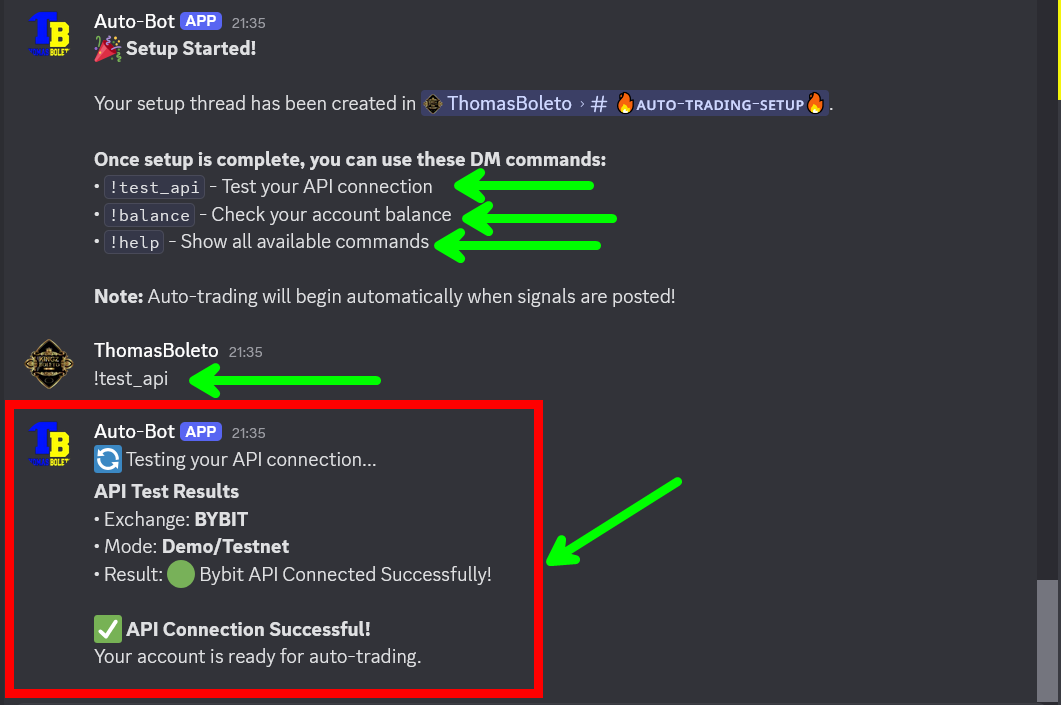
✅ Success: Once connected, you'll receive confirmation that your API keys have been validated and stored securely. The bot will now be able to execute trades on your Bitget account.
⛔️ Important: There's a tutorial video inside our Discord for each exchange. Plus, even if you face any problem you can text me either in Telegram or Discord and we'll guide you further.
You're All Set!
Your Thomas Boleto AutoFlow Discord Bot is now successfully connected to your Bitget account and ready for auto-trading.
✅ Bitget Auto-Trading Activated!
The bot will now automatically execute trades based on the signals you've configured. Monitor your account regularly and use the bot commands to check status, balance, and open positions.
